Posts

Nvidia’s Mining Limiter Hacked (LHR) Hacked for Miners

Image
  Nvidia’s Mining Limiter Hacked LHR GPUs now can mine 70% more by Admin on August 17 The latest version of Ethereum Mining tool (NBMiner) managed to hack Nvidia’s LHR (Lite Hash Rate), limiting the miners’ hash rate. NBMiner manages to increase the performance of the GPUs with LHR up to 70%, although the developers recommend capping out at 68% for stability. This hack will work with the latest Nvidia drivers on Windows and Linux, although NBMiner currently supports only the EthHash algorithm, future updates may be included with other algorithms to mine with LHR enabled GPUs and also expected to get more performance through LHR enabled Graphic Cards. So this is not a good move for the gamers who are trying to buy the budget gaming graphics cards such as Nvidia’s RTX 3060 and RTX 3060 Ti will suddenly be a good choice for miners again fo the miners will pick the cards and there will be less stock in the market for gamers to buy. What is PrinNightmare Vulnerability
How to remove unremovable apps in Windows 10?

Image
  How to Remove Windows 10 Built-In Applications(Bloatware) How to remove unremovable apps in Windows 10 because Windows 10 comes with Pre-installed applications which many users will not make use of it so let’s take a look at how to remove bloatware. Some of this bloatware will reduce your PC performance and also it will change bootup time. Bloatware are some applications that software companies will offer to the companies which are developing Operating System to pre-install their developed built on Computer, smartphone, tablet, smart TV, etc…  How to Remove/Uninstall Bloatware from Windows 10 You can use the simple method to uninstall bloatware from Windows 10 or can use commands on PowerShell or else any third-party software. Because not all bloatware can be uninstalled using windows uninstaller, you need to run some commands on PowerShell. Uninstall Bloatware simply and easy  Simply find the application that you think you don’t want or it’s unnecessary, right-click an...

10 Things to do on your New Laptop

Image
  10 Things to do on your New Laptop Here are the 10 first and important things to do when you get a new laptop, following points will help you to run your Personal Computer at its best performance.  Please follow the below 10 things to do on your New Laptop and I have 3 Extra things at last. Register the Product Registering your new Laptop/Desktop on the manufacturer's website will be a good idea if you are a traveler. If you have any trouble with your device and get an online support assistant through the manufacturer. Also to track your warranty period you need to register your device under your email.  Update Operating System (Windows/Linux/macOS) and Drivers System updates are the First thing to do after registration whether the Laptop/Desktop is bought from the manufacturer or a reseller. This will update and install the latest features and security patches for the Operating system. How to check for Windows Updates Go to Settings > Update & Security and clic...

Bluehost the Best Web Hosting Provider

Image
  Bluehost is an All in One website hosting and building platform that provides everything you need to start a website beginning to succeed. Get started - Naming your website, selecting a template and starting to customize and to selecting the right Hosting plan for your website.  Built for results - Allows you to design as you want, provides marketing tools, insightful analytics and scalable growth. Guarantee - guaranteed reliability, automated security updates time to time backup and protection to the website and ontime support 24/7. Bluehost gives you to select from 3 Plans to start with whether you are building a Website, blog or online stores for specific needs. Bluehost will help to find which plan suites for your web hosting with free consulting. Free Templates  Bluehost Marketplace provides access to hundreds of free website templates to choose with and build your own customized website. For the builders who are new to website building Bluehost Experts will ...

How to Check System Specifications

Image
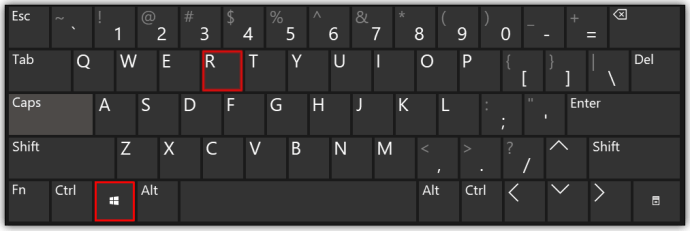
To check your System Specifications of your Computer follow the steps, Open the Run Command one your Computer by Pressing Windows Key + R  Then windows Run command will open as below Type “ dxdiag ” or “ DXDIAG ” and Enter From here you can see your System Specifications

Download Windows 10 for Free and Easy

Image
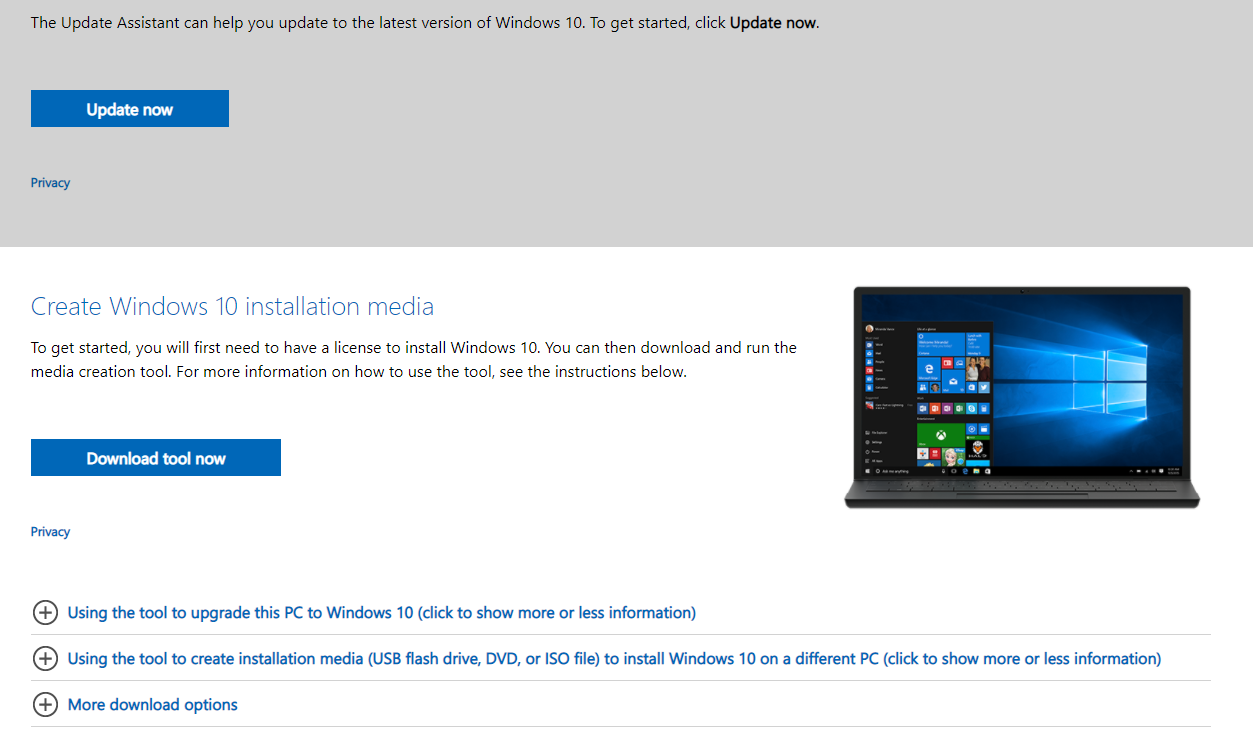
How to Download Windows 10 for Free Download Windows 10 for from Microsoft Easy Steps Can you download Windows 10 for free? - Yes of course windows allows anyone to download windows for free 30 days Trial. Please follow the Guide to Download Windows 10 Download “ Windows 10 installation Media ” Tool from Microsoft website downloads from below Link Click Here to Download the Tool Click on Download Tool Now After download finishes Run it from Downloads Folder Next step to Accept Microsoft software license terms Then Select Create installation media and click Next Next Step is to select Language, Edition and architecture that you want to download To select simply Untick the “Use the recommended options for this PC” Note: Select the correct Architecture for you Computer In this step select ISO file to download Windows 10 ISO  Select a location to download and Save the ISO file  Now wait until the Download finishes After finishing download then click finish For Complete In...

How to Boot into Windows Setup from USB or DVD

Image
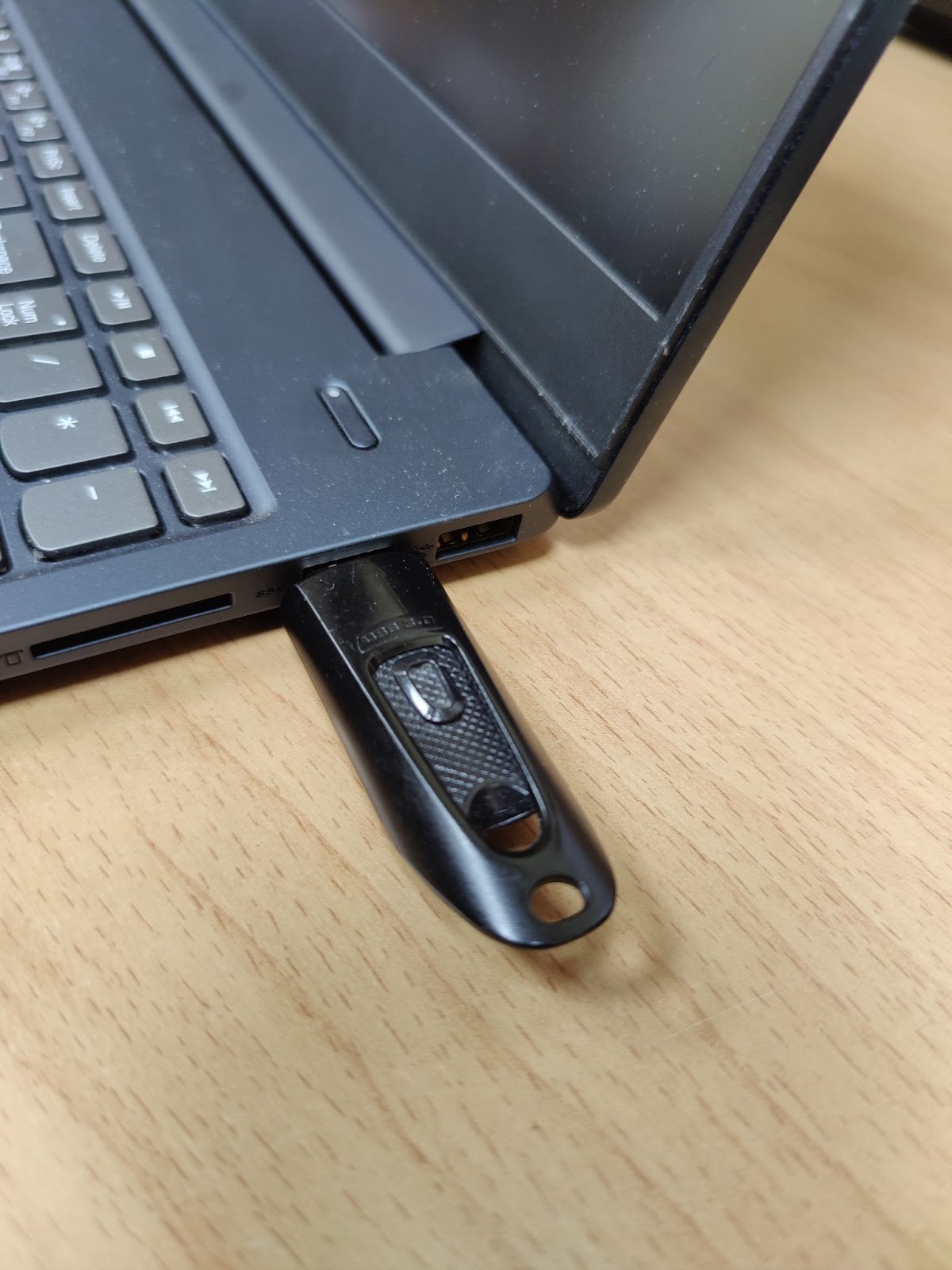
To start booting into the USB or DVD you need to check your Computer Manufacturers Boot Menu Shortcut (function) Keys, Following are common Shortcut Keys for Different Manufacturers, Manufacturer Shortcut Key Dell F12 Lenovo F12 HP F10 Acer F12 Asus F8 MSI F11 Gigabyte F12 First Step is to Connect the USB or Insert the DVD into the Computer Then Startup the Computer and rapidly press the Boot Menu shortcut key until your Computer will show a screen to Select Boot Option, Then select from which media you want to Boot from USB Drive or DVD drive and Press Enter to boot from the selected option. If your computer displays a message “ Press any key to boot from CD or DVD ”. Press any key to continue to the Setup To Installation Guide Please Click Here How to Clean Install Windows 10 Laptop or Desktop How to Create Bootable USB/DVD How to Download Windows 10 Setup ISO

Popular posts from this blog

Windows 11 not supported for your PC?

How to remove unremovable apps in Windows 10?

Nvidia’s Mining Limiter Hacked (LHR) Hacked for Miners